업로드한 이미지를 미리보기하는 방법! 

참고! 

기본 이미지를 클릭하면 파일 업로드 창이 뜨도록 작업하였다. 


<!-- default image -->
<!-- Click on the image to open the file upload popup. -->
<label for="profile" class="form-label">
	<img src="/default.png" id="myImg">
</label>

<!-- file upload input --> 
 <input type="file" id="profile"  
 		style="display: none" 
        	accept="image/*"
		onchange="document.getElementById('myImg').src = window.URL.createObjectURL(this.files[0])" />


코드 설명! 

<!-- 라벨안에 이미지를 넣어 이미지를 클릭하면 파일 업로드 창이 뜨도록하였다. -->
<!-- label의 for="" 에는 file input의 id값이 들어가야한다. --> 
<label for="profile" class="form-label"> 
	<img src="/default.png" id="myImg">
</label>

<!-- 파일 업로창 --> 

 <input type="file" id="profile"  
 		style="display: none" // 파일 업로드 버튼을 숨기기 위함 
        	accept="image/*"  // 이미지만을 받기위함 
		onchange="document.getElementById('myImg').src = window.URL.createObjectURL(this.files[0])" />
        // 파일이 업로드 되는 경우 해당 파일의url을 기본이미지의 src로 변경해준다.


**** 결과 ****


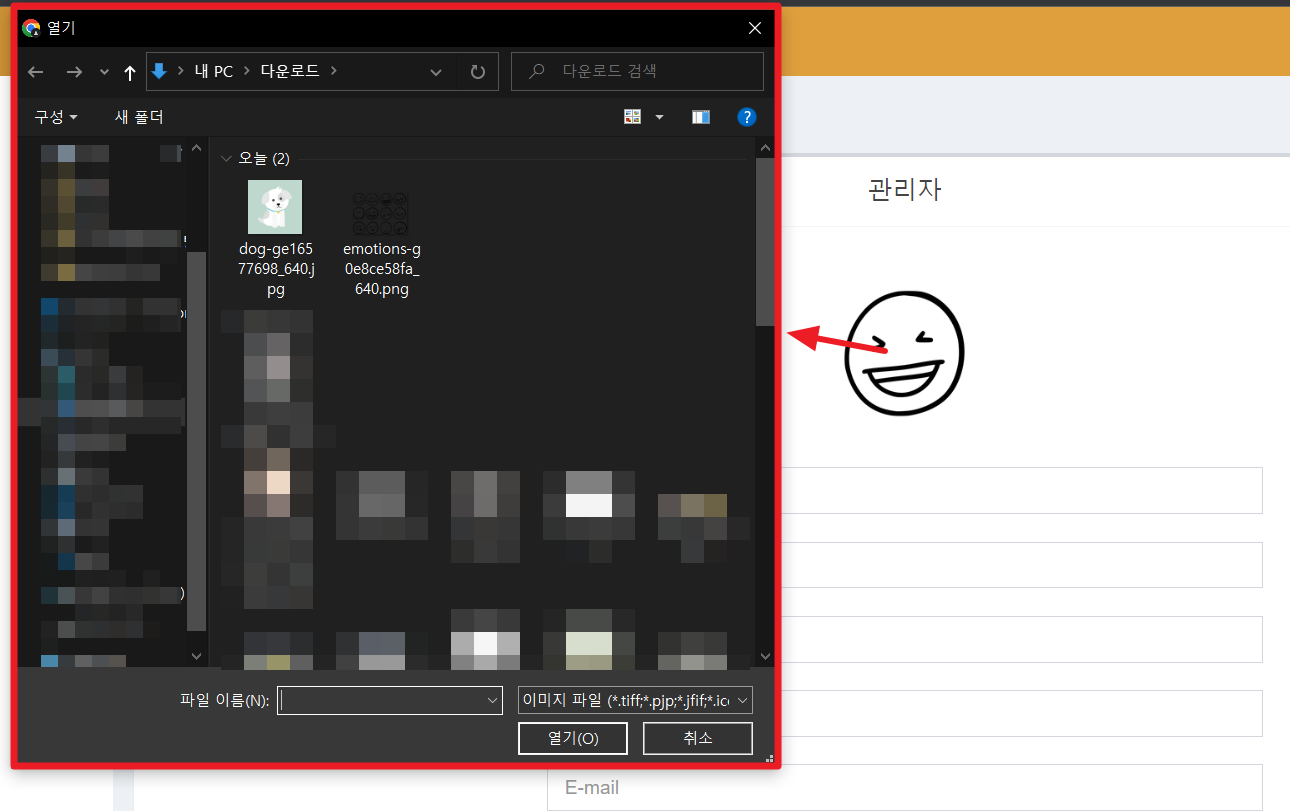
기본이미지를 클릭하면 아래 처럼 이미지 업로드창이 뜨고 


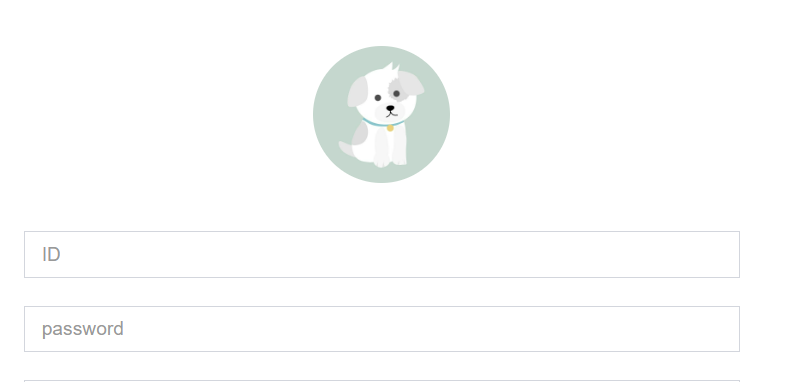
업로드한 강아지 이미지가 잘 뜨는걸 볼 수 있다!


두번째 방법! 

Jquery 사용하기!  흐름은 똑같음.

$("input[type='file']").change(function(){
	$("#myImg").attr('src', URL.createObjectURL(this.files[0]));
});

특정 파일 목록을 출력하는 방법! 

import java.io.File;


public class FileTest2 {


    public static void main(String[] args) {


        // 프로젝트 현재 폴더를 객체로 생성한다.

        File file = new File(".");


        // file이 존재하고 폴더일 경우

        if(file.exists() && file.isDirectory()){


            // 폴더의 파일/폴더 목록을 문자열 배열로 반환

            String[] fList = file.list();


            // 출력

            for(int i=0; i<fList.length; i++)

                System.out.println(fList[i]);


        }else{

            System.out.println("해당 경로는 폴더가 아닙니다.");

        }

    }

}

- new File(".") 는 현재 프로젝트 폴더를 나타낸다.

- file.list() 로 해당 폴더의 파일들을 문자열 배열로 반환한다.

(자식 폴더 안의 파일은 가져오지 않는다. 해당 폴더 하위 파일들만 가져온다. )


'Java' 카테고리의 다른 글

JAVA 사용가능한 알고리즘 목록  (0) 2020.09.18
JAVA) VO 값 전부 꺼내기  (0) 2020.09.11
FILE 정보 확인해보기  (0) 2020.08.25
Client IP 가져오기  (0) 2020.08.19
File 정리  (0) 2020.08.18

@ 주제 

파일정보 확인 


@ 목적 

파일의 정보를 확인해본다.


@ 내용 

파일 정보가져오기


import java.io.File;

import java.io.IOException;


public class FileTest {


    public static void main(String[] args) {


       // 해당 파일의 경로와 파일이름을 입력한다.

        File file = new File("filefolder\\test.txt");


       // 파일의 존재 유무를 확인한다.

        if(file.exists()){


            try{


                System.out.println("getName: " + file.getName());  // 파일 이름 출력

                System.out.println("getPath: " + file.getPath());    // 파일 경로 출력

                // 파일 절대 경로 출력              

                System.out.println("getAbsolutePath : "+ file.getAbsolutePath());  

                // 파일 정규 경로 출력

                System.out.println("getCanonicalPath : "+ file.getCanonicalPath());

                // 상위 폴더 출력

                System.out.println("getParent : " + file.getParent());   


           // 파일의 쓰기/읽기 권한 체크

          if(file.canWrite()) System.out.println(file.getName() + "은 쓸 수 있습니다.");

          if(file.canRead()) System.out.println(file.getName()+ "은 읽을 수 있습니다.");


                // 객체의 파일, 폴더 여부 체크

                if(file.isFile()){

                    System.out.println(file.getName() + "은 파일입니다.");

                }else if(file.isDirectory()){

                    System.out.println(file.getName() + "은 폴더입니다.");

                }else{

                    System.out.println(file.getName() + "은 파일도 폴더도 아닙니다.");

                }


          // 파일 내용 길이 출력

          System.out.println(file.getName() + "의 길이는 "+ file.length() + " 입니다.");


            }catch(IOException e){

                System.err.println(e);

            }


        }else{

            System.out.println("파일을 찾을 수 없습니다. ");

        }

    }

}


'Java' 카테고리의 다른 글

JAVA) VO 값 전부 꺼내기  (0) 2020.09.11
directory 파일 목록 출력하기  (0) 2020.08.25
Client IP 가져오기  (0) 2020.08.19
File 정리  (0) 2020.08.18
JAVA ) 직접 경험한 경력직 기술 면접 질문 모음  (0) 2020.07.20

@ 주제 

File Class 알아보기 


@ 목적 

File Class를 알아본다.


@ 내용 


File 클래스 정리


java.io 패키지는 기존의 파일이나 폴더에 대한 제어를 하는 데 사용하는 File 클래스를 제공한다. 이 클래스를 이용해서 파일과 폴더에 대한 다양한 기능을 제공한다.


파일을 나타내는 객체를 생성하려면 다음과 같은 File 클래스의 생성자 함수를 이용한다.


File 클래스의 생성자


설명


File(File parent, String Child)


parent 객체 폴더의 child 라는 파일에 대한 File 객체를 생성한다.


File(String pathname)


pathname에 해당되는 파일의 File 객체를 생성한다.


File(String parent, String, child)


parent 폴더 경로의 child라는 파일에 대한 File 객체를 생성한다.


File(URI uri)


file uri 경로에 대한 파일의 File 객체를 생성한다.


* File 클래스의 메소드


File 클래스의 메소드


설명


File getAbsoluteFile()


파일의 절대 경로를 넘겨준다.


String getAbsolutePath()


파일의 절대 경로를 문자열로 넘겨준다.


File getCanonicalFile()


파일의 Canonical 경로를 넘겨준다.

String getCanonicalPath()


파일의 Canonical 경로를 문자열로 넘겨준다.


String getName()


파일이나 폴더의 이름을 넘겨준다.


String getParent()


부모 경로에 대한 경로명을 문자열로 넘겨준다.

File getParentFile()


부모 폴더를 File의 형태로 리턴한다.


String getPath()


파일의 경로를 문자열의 형태로 리턴한다.


long getTotalSpace()


하드디스크의 총 용량을 리턴한다.


long getUsableSpace()


하드디스크의 사용 가능한 용량을 리턴한다.


long getFreeSpace()      하드디스크의 남은 공간을 리턴한다.

int hashCode()


hash code를 반환한다.


long lastModified()


해당 경로 파일의 최종 수정 일자를 반환한다.


long length()


해당 경로 파일의 길이를 반환한다.

Path toPath()


java.nio.file.Path 객체로 반환한다.


URI toURI()


URI 형태로 파일 경로를 반환한다.


File[] listRoots()


하드디스크의 루트 경로를 반환한다.


String[] list()


경로의 파일들과 폴더를 문자열 배열로 반환한다.


String[] list(FilenameFilter filter)


filter에 만족되는 파일들과 폴더 이름을 문자열 배열로 반환한다.


File[] listFiles()


해당 경로의 파일들과 폴더의 파일을 배열로 반환한다.


File[] listFiles(FileFilter filter)


filter에 만족되는 파일들과 폴더를 File 배열로 반환한다.


File[] listFiles(FilenameFilter filter)


filter에 만족되는 파일들과 폴더를 File 배열로 반환한다.


* File 생성/수정/삭제 메소드


File 생성 수정 삭제 메소드


설명


boolean createNewFile()


주어진 이름의 파일이 없으면 새로 생성한다.


static File createTempFile(String prefix, String suffix)


default temporary-file 디렉토리에 파일 이름에 prefix와 suffix를 붙여  임시파일을 생성한다.


static File createTempFile(String prefix, String suffix, File directory)


새로운 임시파일을 파일 이름에 prefix와 suffix를 붙여 directory 폴더에 생성한다.


boolean delete()


파일이나 폴더를 삭제한다. 단, 폴더가 비어있지 않으면 삭제할 수 없다.


void deleteOnExit()


자바가상머신이 끝날 때 파일을 삭제한다.


boolean mkdir()


해당 경로에 폴더를 만든다.


boolean mkdirs()


존재하지 않는 부모 폴더까지 포함하여 해당 경로에 폴더를 만든다.


boolean renameTo(File dest)


dest 로 File 이름을 변경한다.


* File 체크 메소드


File 체크 메소드


설명


  boolean exists()


파일의 존재 여부를 리턴한다.


  boolean isAbsolute()


해당 경로가 절대경로인지 여부를 리턴한다.


  boolean isDirectory()


해당 경로가 폴더인지 여부를 리턴한다.


  boolean isFile()


해당 경로가 일반 file 인지 여부를 리턴한다.


  boolean isHidden()


해당 경로가 숨김 file 인지 여부를 리턴한다.


* File 권한 메소드


File 클래스 권한 관련 메소드


설명


boolean canExecute()


파일을 실행할 수 있는지 여부를 리턴한다.


boolean canRead()


파일을 읽을 수 있는지 여부를 리턴한다.


boolean canWrite()


파일을 쓸 수 있는지 여부를 리턴한다.


boolean setExecutable(boolean executable)


파일 소유자의 실행 권한을 설정한다.


boolean setExecutable(boolean executable, boolean ownerOnly)


파일의 실행 권한을 소유자 또는 모두에 대해 설정한다.


boolean setReadable(boolean readable)


파일의 소유자의 읽기 권한을 설정한다.


boolean setReadable(boolean readable, boolean ownerOnly)


파일의 읽기 권한을 소유자 또는 모두에 대해 설정한다.


boolean setReadOnly()


파일을 읽기 전용으로 변경한다.

boolean setWritable(boolean writable)


파일의 소유자의 쓰기 권한을 설정한다.


boolean setWritable(boolean writable boolean ownerOnly)


파일의 쓰기 권한을 소유자 또는 모두에 대해 설정한다.

 

'Java' 카테고리의 다른 글

FILE 정보 확인해보기  (0) 2020.08.25
Client IP 가져오기  (0) 2020.08.19
JAVA ) 직접 경험한 경력직 기술 면접 질문 모음  (0) 2020.07.20
JAVA 언어의 장단점  (0) 2020.07.13
JVM 그것이 알고싶다.  (0) 2020.07.12

@ 주제 

파일다운로드 구현 


@ 목적 

 파일다운로드를 간단하게 구현해본다.


@ 내용


import java.io.FileInputStream;

import java.io.FileOutputStream;


public class IoTest {

    public static void main(String[] args) {

        try {

            FileInputStream fis = new FileInputStream("C:\\Users\\Genie\\Desktop\\test1.xlsx");

            FileOutputStream fos = new FileOutputStream("C:\\Users\\Genie\\Desktop\\test2.xlsx");


            int readData = -1;

            // fis.read() 는 읽어오는 값이 있으면 정수값을 준다 .

            while((readData = fis.read()) != -1) {

                fos.write(readData);

            }


            fis.close();

            fos.close();


        } catch (Exception e) {

            // TODO: handle exception

        }

    }

}


+ Recent posts